Trying to log in to a Spectrum router can be confusing because there is no single login method that works across every Spectrum router.
On current Spectrum Advanced WiFi equipment, the normal way to manage the router is through the My Spectrum App or Spectrum.net. Typing 192.168.1.1 into a browser may not give you an admin login at all.
Older Spectrum Wave 2 routers are different. Some models have a normal local web interface, including the older RAC2V1A, whose manual documents a local login at 192.168.1.1.
The important part is identifying which router you actually have before trying IP addresses or passwords.
Quick answer
For most people, the Spectrum router login falls into one of these two situations:
Current Spectrum Advanced WiFi router:
Use the My Spectrum App or Spectrum.net to manage the network.
Older Spectrum router with a local web interface:
Connect directly to the router and use the local IP address documented for that exact model.
Do not assume that 192.168.1.1 and admin/admin work on every Spectrum router.
They do not.
Check your Spectrum router model first
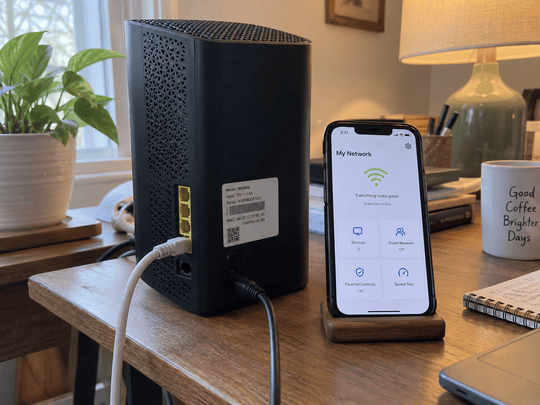
Look at the label on the back or bottom of the router.
Spectrum currently has documentation for several generations, including WiFi 5, WiFi 6, WiFi 6E, WiFi 7 and older Wave 2 routers. Its equipment library includes families such as SAC2, SAX1, SAX2 and older RAC2 models.
That model number matters much more than the Spectrum name on the front.
Two Spectrum customers can both have Spectrum Internet but have completely different router-management methods.
If the router uses Spectrum Advanced WiFi, start with the app or your Spectrum account rather than guessing a local admin password.
How to access a current Spectrum Advanced WiFi router
Spectrum’s WiFi 6 and WiFi 6E documentation directs users to manage the network through the My Spectrum App. The app handles network personalization and connected-device management rather than relying on a traditional local router login page.
Start here:
- Open the My Spectrum App.
- Sign in with your Spectrum username and password.
- Open Services.
- Find your WiFi network or Network Equipment section.
- Select the router.
- Open the available network or advanced settings.
Menu names can move slightly as Spectrum updates the app, but the router should appear under your Internet or network equipment.
Spectrum has also confirmed that advanced router settings are available through Spectrum.net for supported equipment. A verified Spectrum employee described the app path as Services, Network Equipment, Router, then Advanced Settings.
You can also manage Spectrum WiFi from a browser
Using the My Spectrum App does not mean you are forced to manage everything from a phone.
Sign in to your Spectrum account in a normal web browser and open the Internet section under Services.
Spectrum’s current support documentation says customers can view or change their WiFi network name and password from their Spectrum account by selecting Services, then Internet.
This is very different from typing a private router IP into the address bar.
You are signing in to your Spectrum account rather than directly into the router itself.
Why 192.168.1.1 may not work on a Spectrum router
A lot of router-login pages still tell Spectrum customers to open 192.168.1.1 and enter a generic username and password.
That advice is incomplete.
On some Spectrum Advanced WiFi routers, local router management through the IP address is deliberately not exposed in the traditional way.
In a Spectrum Community answer, a verified Spectrum employee confirmed that settings for the customer’s router were managed through Spectrum.net or the My Spectrum App and could not be accessed by attempting to log directly into the router by IP.
So if 192.168.1.1 gives you:
- no login screen
- a very basic information page
- an error
- a page that will not accept common passwords
do not immediately assume the router is malfunctioning.
First check the model.
You may simply have an app-managed Spectrum router.
Older Spectrum Wave 2 routers can be different
Some older Spectrum routers do have a conventional browser interface.
A good example is the RAC2V1A.
Spectrum’s documentation for that model tells users to connect to the router, open 192.168.1.1 in a browser and sign in to the configuration interface. Its factory documentation lists admin as both the default username and password for that specific router.
That does not make admin/admin a universal Spectrum password.
It means it is documented for that model.
If your router says RAC2V1A on the label, that information is relevant.
If you have a SAX, SAC or another router family, use the documentation for that device instead.
How to log in to an older Spectrum router
If your exact model supports a local web interface:
- Connect your computer or phone to the Spectrum router.
- Use WiFi or a LAN Ethernet connection.
- Open Chrome, Edge, Safari, Firefox or another browser.
- Type the router’s local IP directly into the address bar.
- Open the login page.
- Enter the credentials documented for your exact router.
Do not search the IP address in Google.
It needs to be entered directly into the browser address bar.
For the RAC2V1A, Spectrum’s manual documents 192.168.1.1.
Other routers can use a different address, especially if the LAN configuration has been changed.
If you are dealing with a local router login and 192.168.1.1 will not open, the NetMovo 192.168.1.1 login guide explains how to find the actual gateway address before changing anything.
Do not mix up the three different passwords
This causes a lot of Spectrum login problems.
There can be three completely different credentials involved.
Spectrum account password
This is the username and password used to sign in to Spectrum.net and the My Spectrum App.
It manages your Spectrum account and, on Advanced WiFi equipment, your router settings.
WiFi password
This is the password phones, laptops, televisions and other devices use to connect to your wireless network.
On a newly installed Spectrum router, the default WiFi network name and password are printed on the equipment label. Spectrum also allows supported customers to view or change this information through their account.
Router administrator password
This applies to routers that actually have a local web-management interface.
It is not automatically the same as your WiFi password or Spectrum account password.
Older models may have factory administrator credentials documented in their manuals.
Do not use passwords from another Spectrum router model just because the router looks similar.
What settings can you change through My Spectrum?
The exact options depend on the Spectrum router and service.
Current Advanced WiFi documentation includes features such as:
- changing the WiFi name and password
- viewing connected devices
- pausing or resuming device access
- managing network devices
- troubleshooting equipment
- port forwarding on supported equipment
Spectrum’s more recent Advanced WiFi documentation also describes controls for features such as DNS, UPnP and IP reservations on supported configurations.
This is why finding a hidden local login page is usually unnecessary on an Advanced WiFi router.
Many of the settings Spectrum intends customers to change have been moved into its own management system.
Spectrum router login page will not open
If you have already identified the router as a model that supports local login, work through these checks before resetting anything.
Make sure you are connected to that router
A local router IP normally works only from inside its network.
If you are using a phone, make sure it is actually connected to your home WiFi rather than using cellular data.
For a computer, Ethernet is also useful when WiFi itself is having problems.
Type the address directly
Enter the IP in the browser address bar.
For example:
192.168.1.1
Do not add random words such as:
www
login
admin
Do not type the address into a Google search box.
Find the actual gateway
If the router’s LAN settings were changed, its current local address may no longer be the factory default.
Windows, macOS, Android and other devices can show the gateway being used by your current connection.
That is more reliable than testing several private IP addresses at random.
Try another browser
A cached page or browser extension can occasionally interfere with local router interfaces.
Try another browser or a private browsing window.
For a local router page, temporarily disabling a VPN can also help if the VPN is routing local traffic differently.
Do not keep guessing passwords
If the page opens but rejects your password, stop trying random combinations from router-login websites.
Check the router label and the manual for the exact model.
If someone previously changed the administrator password, the factory password may no longer work.
A factory reset can restore factory configuration on many routers, but it also removes customized settings. It should not be the first troubleshooting step.
What if the Spectrum router is online but you still have no internet?
Router administration and internet connectivity are separate problems.
Opening the Spectrum router settings will not fix a modem outage, damaged Ethernet cable or Spectrum service interruption by itself.
If the router shows its normal connected light but devices still cannot reach the internet, use the Spectrum router solid blue but no internet guide instead.
That troubleshooting path checks the device, router, modem and Spectrum connection rather than focusing on the admin interface.
Should you factory reset the Spectrum router?
Only after you know why you are resetting it.
Spectrum has supplied many router models, and reset-button behavior is not identical across every generation.
A reset can remove customized network settings and may require devices to reconnect using factory WiFi information.
If the only problem is that 192.168.1.1 does not show an admin login on an Advanced WiFi router, a factory reset is unlikely to create the traditional interface you were looking for.
Check the model and management method first.
Can you use 192.168.1.1 with Spectrum?
Sometimes.
192.168.1.1 is documented for some older Spectrum routers, including the RAC2V1A.
It should not be treated as the universal Spectrum router login address.
Current Advanced WiFi routers may still use a private local IP as part of the network while management is handled through Spectrum’s app or website.
Those are two different things.
A router having an IP address does not automatically mean Spectrum exposes a full admin interface at that address.
What is the default Spectrum router username and password?
There is no safe universal answer.
For the older RAC2V1A, Spectrum’s manual documents:
Username: admin
Password: admin
That information belongs to that router generation.
Do not automatically use it on current Spectrum equipment.
Current Advanced WiFi users normally authenticate with their Spectrum account through the My Spectrum App or Spectrum.net instead.
Can you access Spectrum router settings without the app?
Yes, in some situations.
Spectrum.net provides web-based management for supported Spectrum equipment, including WiFi information and some advanced settings.
Older routers with a local management interface can also be accessed directly through a browser.
What does not work is assuming every Spectrum router has the same local admin page.
The model decides the correct route.
Sources
Spectrum Support, Self-Installation with Advanced WiFi 6 Router:
Spectrum Advanced WiFi 6 setup and management
Spectrum Support, Equipment Manuals:
Spectrum router and equipment manuals
Spectrum RAC2V1A Wave 2 User Guide:
Spectrum RAC2V1A official user guide