A solid blue light on a Spectrum router normally means the router considers itself connected to the internet.
Spectrum documents solid blue as the connected state on its WiFi 5 Wave 2 and WiFi 6E routers. WiFi 6 models may use solid blue or green for the same connected state. Drupal CMS
If the light is solid but your phone, laptop or TV still has no internet, start by finding out whether the problem affects one device or everything connected to the router.
Check another device first
Try opening a website on another phone, computer or streaming device connected to the same WiFi.
If only one device has the problem, the Spectrum connection may be fine.
On the affected device:
- Turn WiFi off.
- Wait a few seconds.
- Turn WiFi back on.
- Reconnect to your home network.
- Restart the device if it still has no internet.
Spectrum also recommends checking that the device is connected to the correct WiFi network and restarting the device when WiFi problems continue. Spectrum
If several devices have no internet, continue with the checks below.
Check Spectrum for an outage
A blue router light does not replace checking the actual service status.
Open the My Spectrum app or sign in to your Spectrum account using mobile data if necessary.
Check whether Spectrum reports an outage or a connection issue with your equipment.
Spectrum recommends checking for an outage before restarting equipment. Its account tools can also show a Connection Issue status and provide troubleshooting or restart options. Spectrum
If an outage is reported, wait for service to return before changing router settings.
Look at the modem
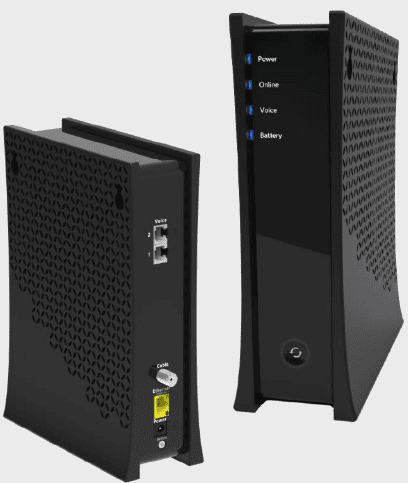
If you use a separate Spectrum modem and router, check the modem’s Online light.
Spectrum’s current installation instructions say the modem normally takes about two to five minutes to connect, and the Online status should become solid once it is connected. Spectrum
If the modem’s Online light is flashing or changing colors, deal with that first.
If it is flashing blue and white, Check out Spectrum Modem Flashing Blue and White
A router can have power and WiFi while the modem connection behind it is having trouble.
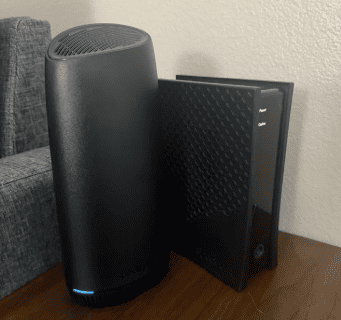
Check the cable between the modem and router
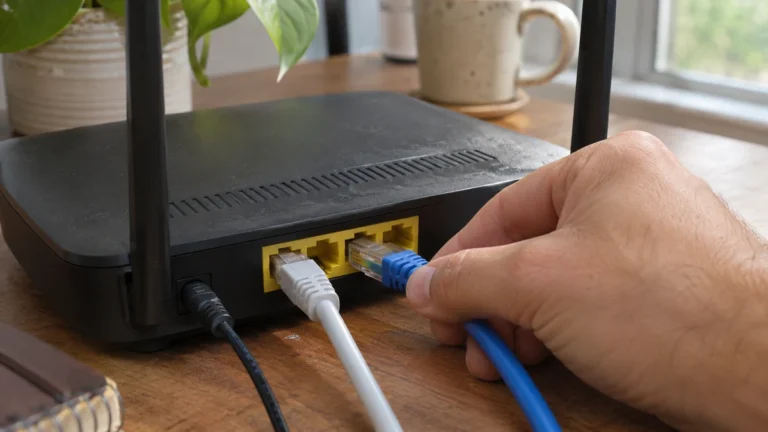
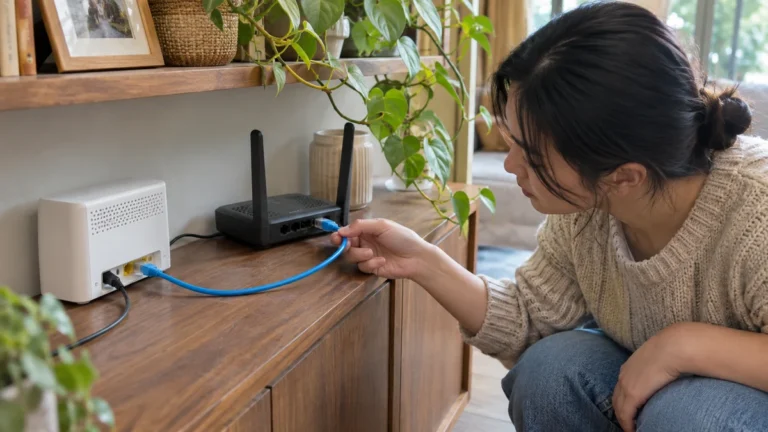
Make sure the Ethernet cable from the modem is connected to the router’s Internet port.
Spectrum’s setup instructions specifically require the modem Ethernet connection to go to the Internet port on the back of the WiFi router. Spectrum
Check both ends of the cable and reconnect them firmly.
If you already have another working Ethernet cable at home, you can try it. There is no reason to buy a cable just for this test.
Restart the modem and router
If several devices have no internet and Spectrum isn’t reporting an outage, restart the equipment.
For normal Spectrum cable internet:
- Unplug the modem.
- Unplug the router.
- Wait about 30 seconds.
- Plug the modem back in.
- Wait about two minutes for the modem to reconnect.
- Plug the router back in.
- Wait for the router to reconnect.
- Test the internet again.
Spectrum documents this modem-first restart order for cable internet equipment. Spectrum
Do not keep repeating the restart if the same problem returns. Continue with the next checks.
Spectrum Fiber
Spectrum says manual cable-modem troubleshooting should not be used the same way with fiber equipment.
For Spectrum Fiber, use the My Spectrum app or the instructions for your fiber setup. Spectrum
Check activation if the equipment is new
If this started immediately after installing a new modem or router, check whether activation finished.
Spectrum’s self-install process includes activating the equipment after connecting the modem and router. Spectrum
Open the My Spectrum app and check the equipment section.
This is especially worth checking if the router has never worked properly since installation.
WiFi works on some devices but not others
If several devices work normally and only one or two have trouble, the router’s blue light is probably not the main clue anymore.
On the affected device:
- confirm it is connected to the correct network
- turn WiFi off and back on
- restart the device
- move closer to the router
- forget the WiFi network and reconnect if necessary
Spectrum’s own WiFi troubleshooting recommends checking the network name, signal strength, restarting the router and device, and resetting network settings when needed. Spectrum
Avoid changing the whole home network because one phone or tablet is having a problem.
WiFi is connected but websites still will not load
A device can show that it is connected to WiFi even when it cannot reach the internet.
WiFi only describes the wireless connection between your device and the router.
The internet connection still has to pass from:
device → router → modem → Spectrum network
If all devices connect to WiFi but none can load anything, check the Spectrum service status, modem and router connection before changing settings on every device.
Router is solid blue but the modem is not stable
The modem takes priority here.
If the modem keeps losing its Online status, flashing, or reconnecting, the router may not have a reliable internet connection even if its light temporarily appears normal.
Use the modem light pattern to troubleshoot the modem first.
If the router later changes from solid blue to blinking blue, check out Spectrum Router Blinking Blue
Should you factory reset the router?
Not at this stage.
A normal restart does not erase your WiFi setup. A factory reset can remove personalized settings and should not be the first response to a solid blue light with no internet.
Check the outage status, modem, Ethernet connection, activation and normal restart first.
If Spectrum’s equipment tools still show a problem after those checks, use their troubleshooting process before doing a factory reset.
What if the internet works over Ethernet but not WiFi?
If a wired device works normally but wireless devices do not, the Spectrum internet connection itself is probably working.
Restart the router and test WiFi again.
Also check:
- whether the correct WiFi network is selected
- whether the device is close enough to the router
- whether the problem affects every wireless device or only one
Spectrum’s router manuals recommend restarting the router when WiFi is lost or internet access stops working. Drupal CMS
When to contact Spectrum
Use Spectrum support if:
- several devices have no internet
- no outage is reported
- the modem appears online
- the Ethernet connection between modem and router is secure
- the equipment has been restarted correctly
- activation is complete
- the problem continues
Spectrum can check the equipment and service connection from its side.
If the router changes to red instead of staying blue, use the existing Spectrum router red light guide rather than following this page: Spectrum Router Red Light
Sources
These are all Spectrum sources:
Spectrum WiFi 5 Wave 2 Router User Guide
Spectrum WiFi 6 Router User Guide
Spectrum WiFi 6E Router User Guide
Spectrum Internet Self Installation
Spectrum Outage and Equipment Troubleshooting
Spectrum Fiber Installation Guide