The lights on an ARRIS SB8200 can tell you quite a lot before you start unplugging cables or calling your internet provider.
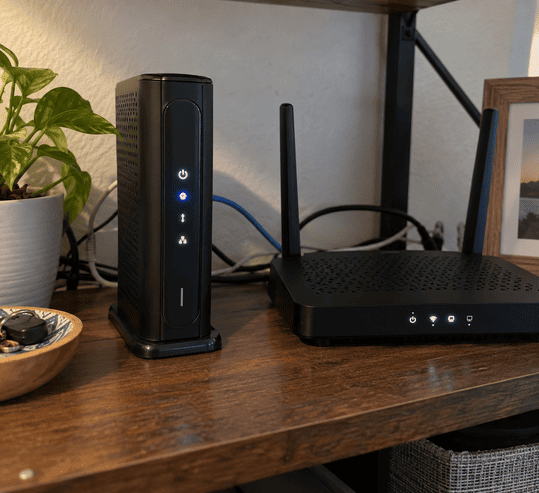
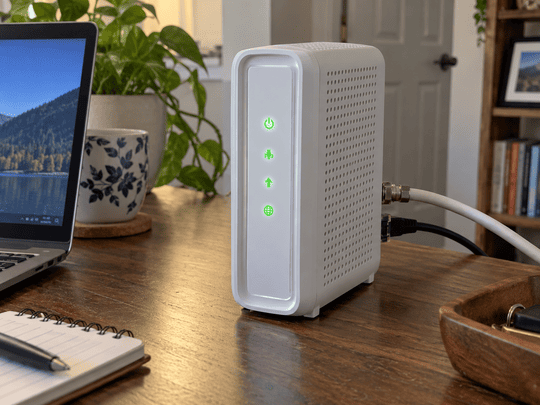
There are four main lights on the front: Power, Receive, Send and Online.
During startup, some flashing is completely normal. The useful part is knowing which lights should eventually settle and what it means if one keeps flashing.
What the ARRIS SB8200 lights mean
The Power light should be solid green once the modem has power. ARRIS notes that it can take up to about a minute for this light to appear after the modem is plugged in. Arris
The Receive light shows the downstream connection coming from your cable provider.
If it is flashing, the modem is trying to find a downstream channel.
If it turns solid green, the downstream connection is operating in DOCSIS 3.0 mode.
If it turns solid blue, the downstream side is using DOCSIS 3.1. Arris
The Send light does the same job for the upstream connection.
A flashing Send light means the modem is still trying to acquire an upstream channel. Solid green indicates DOCSIS 3.0 operation, while solid blue indicates DOCSIS 3.1 upstream operation. Arris
The Online light tells you whether the modem has completed its connection to the cable network.
While it is flashing, the modem is still trying to complete registration. During normal operation, ARRIS says the Online light should be solid green. Arris
Is a blue light on the SB8200 bad?
No.
Blue on the Receive or Send light is normally a good sign.
On the SB8200, blue indicates that DOCSIS 3.1 is being used on that part of the connection. Green usually means DOCSIS 3.0.
The SB8200 supports both DOCSIS 3.1 and DOCSIS 3.0, so seeing green instead of blue does not automatically mean something is wrong. DOCSIS 3.1 availability depends on your cable provider and service in your area. Arris
So you do not need to start troubleshooting just because one of the channel lights is green.
The more important warning sign is a light that keeps flashing and never establishes a connection.
Why is the Receive light flashing?
The Receive light flashes while the SB8200 searches for a downstream signal.
That is expected for a short period during startup.
If it keeps flashing long after the modem has finished booting, ARRIS describes that as the downstream channel not being acquired, or a previously established downstream channel being lost. Arris
Start with the physical connection.
Check that the coax cable is firmly connected to the modem and to the wall outlet. Also make sure the power cable is secure.
If the modem was previously working and the Receive light suddenly started flashing, a normal reboot is worth trying before doing anything more drastic.
Why is the Send light flashing?
The Send light flashes while the modem is trying to establish its upstream connection back to the cable provider.
Again, flashing during startup is normal.
If the Receive light has settled but the Send light continues flashing, the modem has found the downstream side but is having trouble establishing or keeping the upstream channel. ARRIS treats persistent flashing during normal operation as an upstream channel loss. Arris
Check the coax connection first, then reboot the modem.
If the same problem returns repeatedly, it is worth checking the modem’s cable signal levels rather than repeatedly restarting it.
Why is the Online light flashing?
A flashing Online light means the modem has not successfully completed registration with the cable network.
If it only flashes during startup and then turns solid green, that is normal.
If it never becomes solid, there may be a service, provisioning or signal problem.
ARRIS specifically notes that if the Receive, Send and Online lights are all flashing, the modem may not have been provisioned correctly by the cable provider. In that situation, contacting the ISP and having the modem’s HFC MAC address available can save time. Arris
This is especially relevant when installing a new SB8200 or moving it to a different cable account.
All four lights are solid but there is still no internet
If Power, Receive, Send and Online have all settled normally, the cable modem itself may already have its connection.
The next thing to check is the device connected to it.
If you use a separate Wi-Fi router, restart the router as well and confirm that its WAN or Internet cable is connected to Ethernet port 1 on the SB8200.
ARRIS recommends Ethernet port 1 for a normal single-router or single-computer setup. The SB8200 has two Ethernet ports, but using both does not automatically give two devices internet access. Your cable provider would need to supply an additional public IP address for the second device. Arris
That second port causes quite a bit of confusion, so don’t assume the modem is faulty just because a device connected to port 2 has no internet.
What do the Ethernet lights on the back mean?
There are also lights around the Ethernet ports on the rear of the SB8200.
A green Ethernet light indicates a 1 Gbps link.
An amber Ethernet light indicates a connection below 1 Gbps.
When either light is blinking, data is moving through the Ethernet connection. Arris
So a blinking Ethernet light is normally just activity, not an error.
Restart the SB8200 before resetting it
If the lights suddenly changed from their normal state, try a regular reboot first.
Disconnect the modem from power, leave it unplugged for about one minute, reconnect it, and give it time to establish the Receive, Send and Online connections again.
ARRIS recommends rebooting as one of the basic troubleshooting steps for connection problems, and a reboot keeps your saved settings. Arris
That is very different from a factory reset.
I would not factory-reset the modem just because one light flashed for a few minutes.
Check the SB8200 signal levels
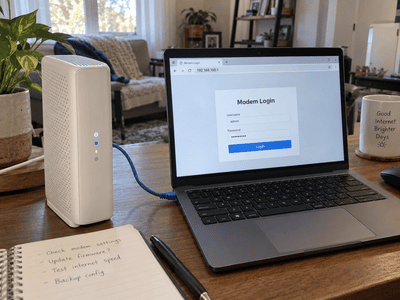
If your modem repeatedly loses its Receive or Send connection, the front lights can tell you that something is wrong, but the modem’s status page can help show why.
The SB8200 Web Manager is available through:
192.168.100.1
ARRIS recommends connecting a computer directly to the modem by Ethernet when checking signal information if accessing it through your router causes problems. Arris
We also have a separate guide for opening the 192.168.100.1 modem status page.
ARRIS says the SB8200 downstream power should normally be between -15 and +15 dBmV. The acceptable upstream range varies depending on how many upstream channels are bonded, so don’t rely on one universal upstream number. Arris
If the signal readings are outside ARRIS’s acceptable ranges, that is usually a better reason to involve your cable provider than endlessly rebooting the modem.
When to call your internet provider
It is worth contacting the cable provider when:
- the Receive or Send light repeatedly loses its connection
- the Online light never becomes solid
- Receive, Send and Online continue flashing after startup
- a new modem will not activate
- the modem’s signal levels are outside ARRIS’s acceptable ranges
- the connection keeps dropping even after checking cables and rebooting
At that point, the problem may be outside your home or require the modem to be provisioned correctly on the provider’s network.
Have the modem’s HFC MAC address ready if the provider asks for it. It is printed on the modem label.
Don’t worry about green instead of blue
One last point because this catches a lot of SB8200 owners:
Blue is not the “working” color and green is not the “bad” color.
Both can represent a normal connection.
Blue on Receive or Send means DOCSIS 3.1 is being used. Green means that side of the connection is operating in DOCSIS 3.0 mode.
What deserves attention is persistent flashing, lights going out unexpectedly, or the Online light failing to settle after the modem has had enough time to connect. Arris
Sources
ARRIS SB8200 Troubleshooting Internet Connectivity
ARRIS SB8200 Cable Signal Levels